
Shared household shopping list app

Shoptonio: shopping lists your whole household shares

Invite the people you live with, collaborate on lists in real time, organize by store, and shop with a focused checklist built for the aisle.

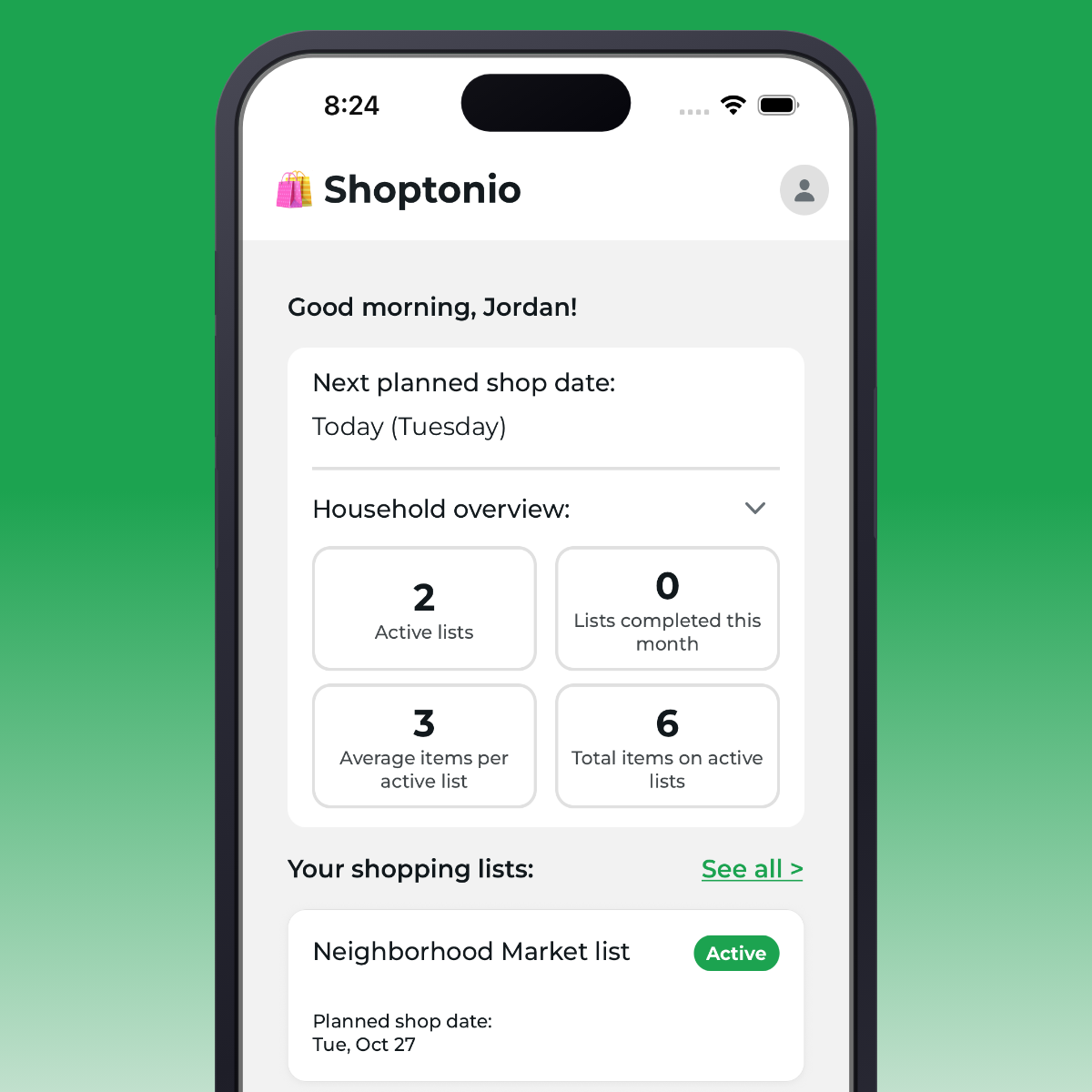
Shoptonio home screen showing household shopping lists

Share with everyone under your roof

Shoptonio is built for households—not solo checklists. Invite family, roommates, or your partner by phone and everyone gets full access.

One subscription covers your entire household (up to four members). Only one person needs to pay; everyone else joins for free.

  • Phone invites — add household members in seconds during setup or anytime in Settings.
  • One plan, whole household — everyone shops on the same account—no per-person fees.
  • Built for who you live with — couples, families, and roommates coordinating groceries and errands.
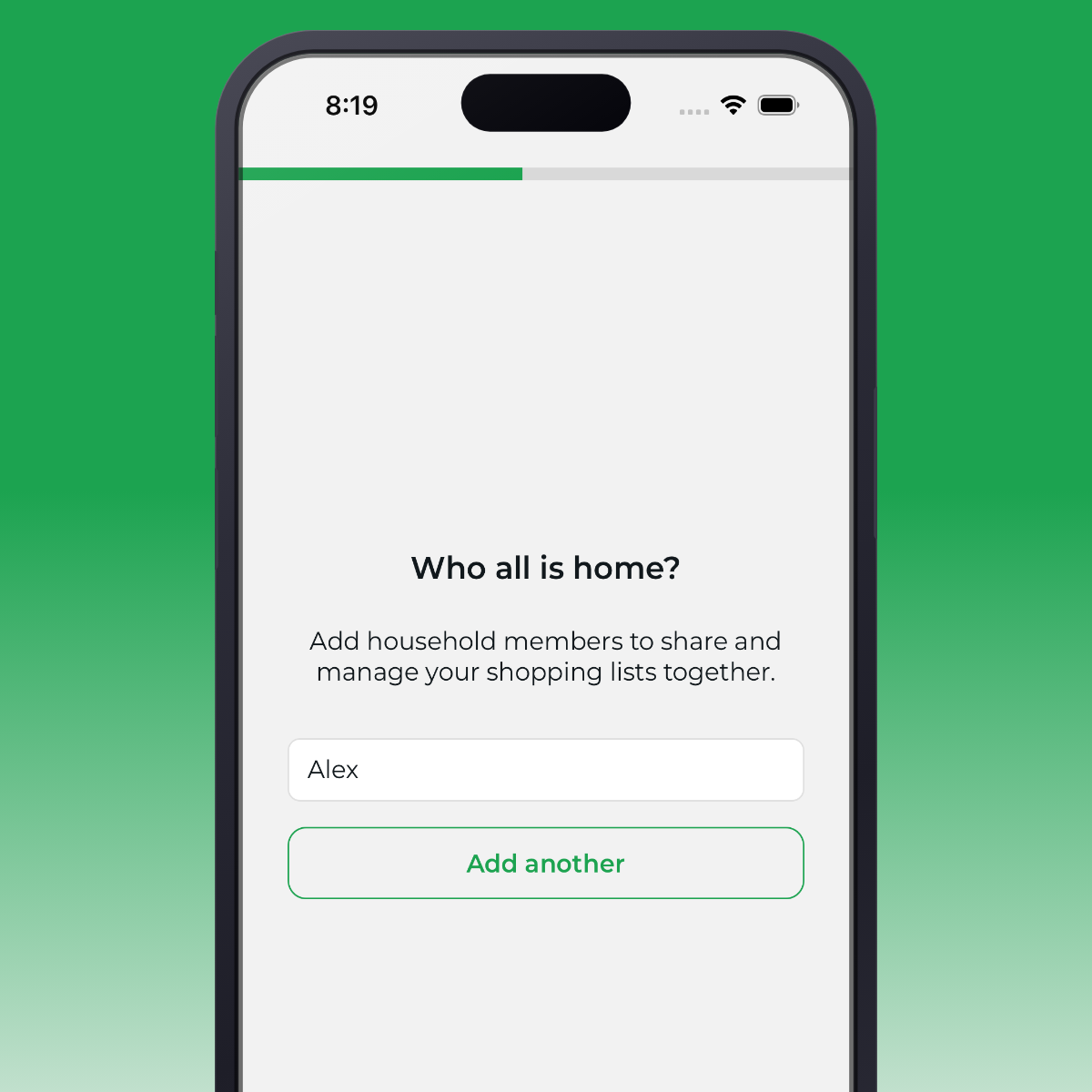
Inviting household members to share shopping lists in Shoptonio

Stop texting “did you get milk?”

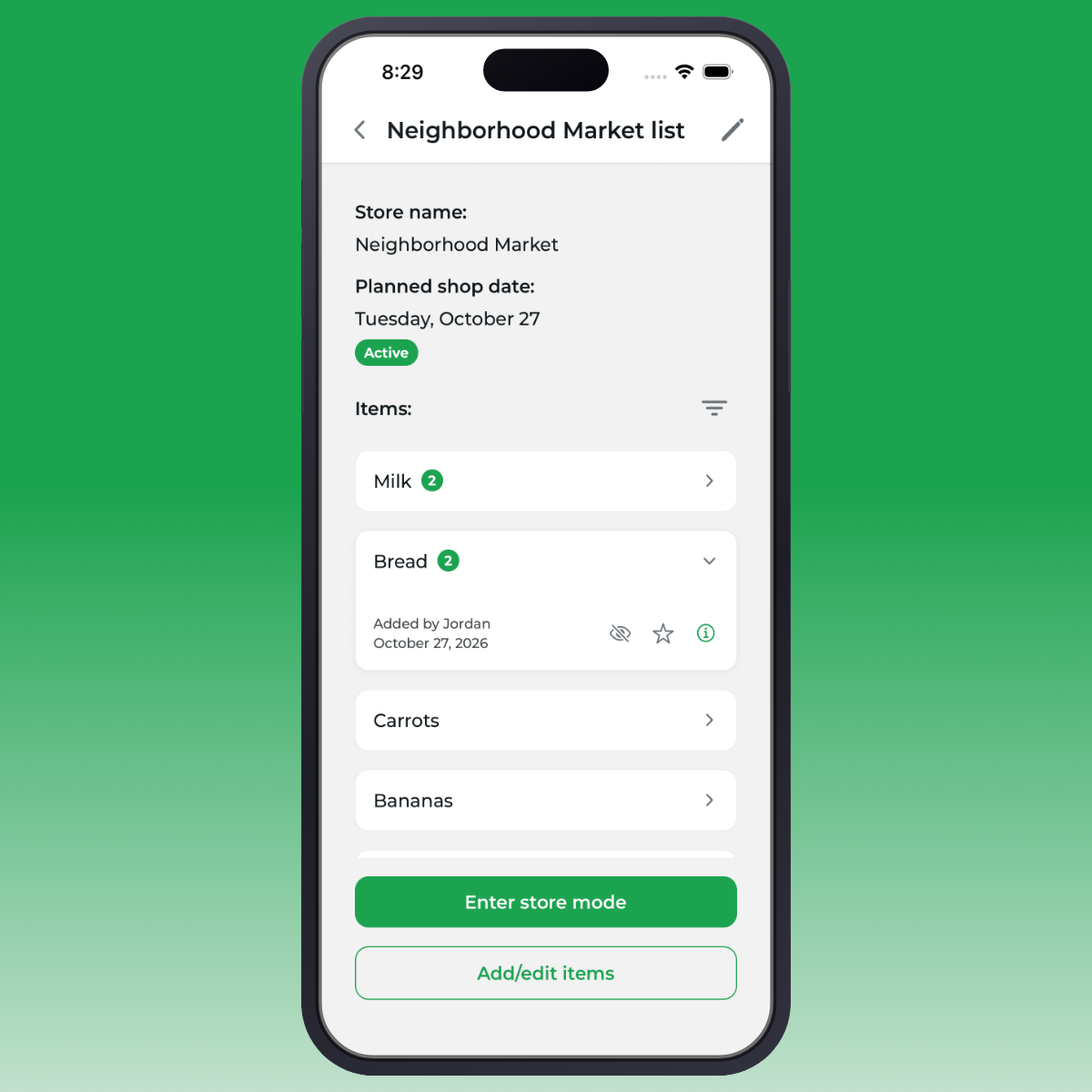
When someone adds an item or checks one off, everyone sees it instantly—whether you’re planning on the couch or halfway through the store.

Lists stay in sync in real time with secure cloud backup. Hand off mid-trip, split errands, or add last-minute items without confusion. Push notifications keep your household in the loop when lists change.

Shopping list detail showing real-time household updates in Shoptonio

Every list belongs to a store

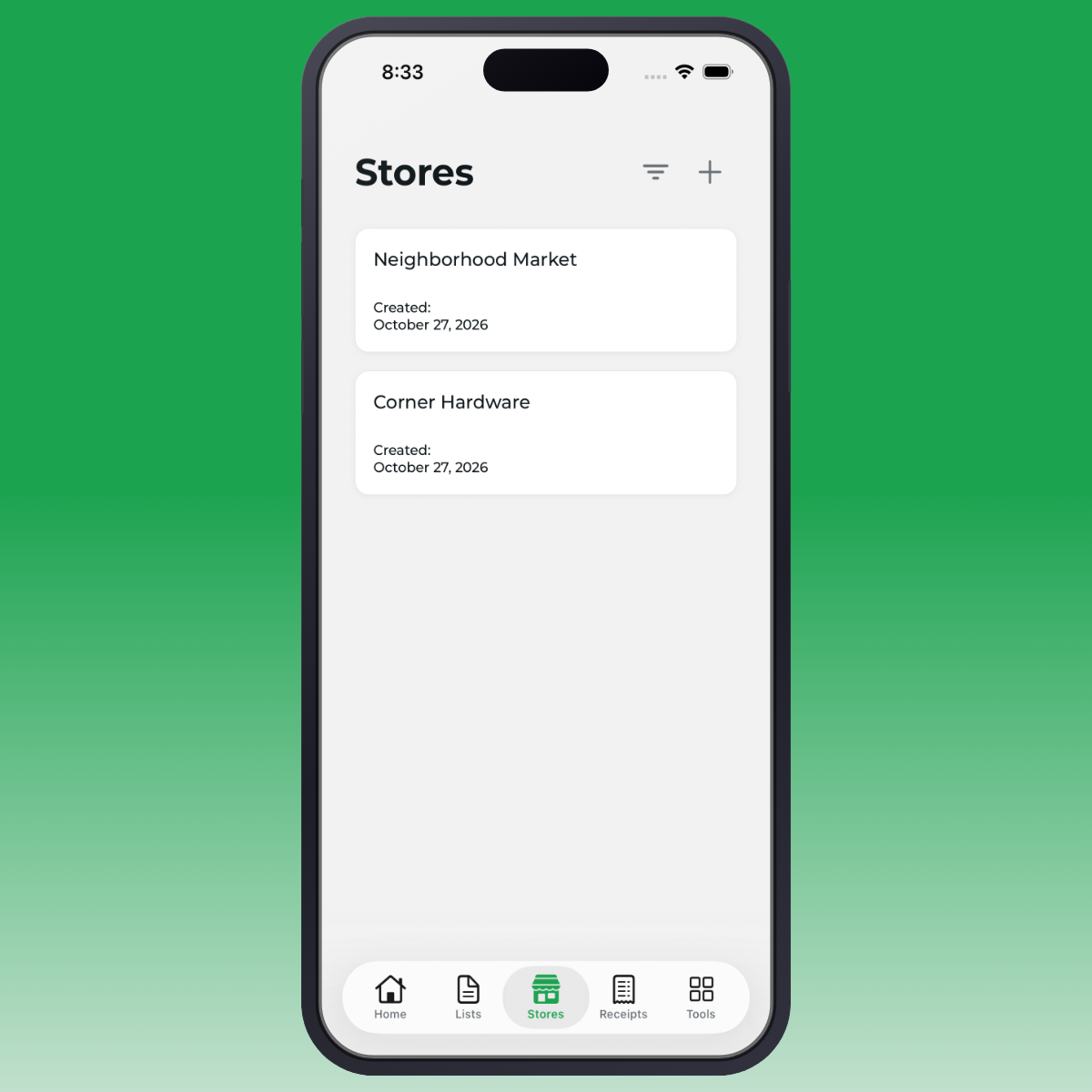
Groceries, hardware runs, pharmacy stops—each list is tied to the store where you actually shop, so nothing gets mixed together.

Create stores for the places your household visits. Items you add are remembered per store, so your catalog grows from how you really shop—not a generic product database.

  • Multiple stores — keep separate lists for the grocery store, big-box run, and corner market.
  • Saved per store — staples and favorites live with the merchant where you buy them.
  • Clean organization — find the right list fast on Home and the Lists tab.
Stores tab showing shopping lists organized by store in Shoptonio

Build lists in seconds

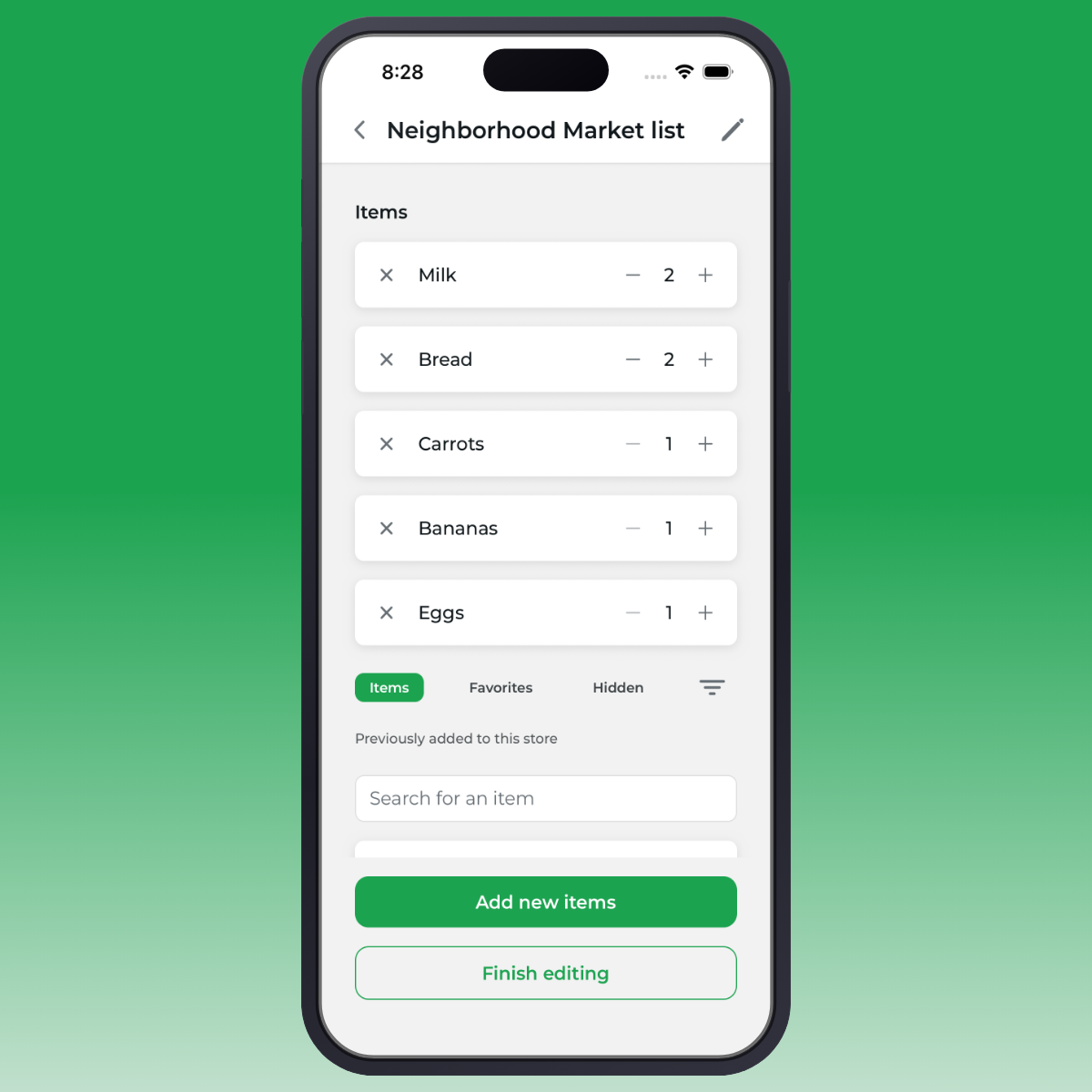
Stop starting from scratch every trip. Pull from items your household has already added at that store—repeat staples are one tap away.

Search your store’s saved items, bump quantities when you need more than one, and add several items at once. Your most-used picks surface first, sorted by popularity.

  • Reuse what you buy — names and picks your household already trusts, ready to add again.
  • Bulk add — line up several items quickly when you’re planning a big run.
  • Less typing — fewer missed items when you reuse trusted picks.
Editing a shopping list with saved store items in Shoptonio

Get the right item every time

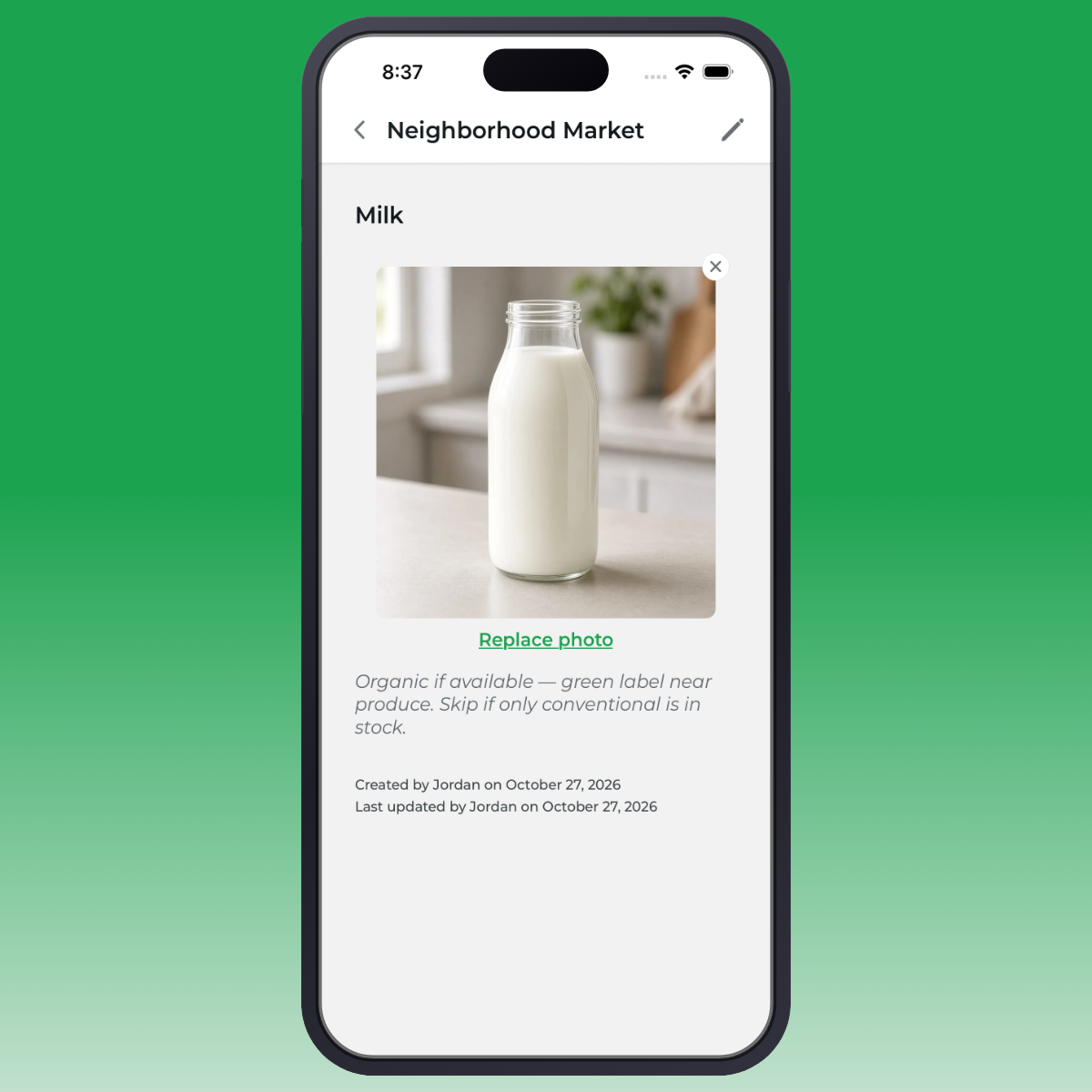
Add a photo or note to any item so your household knows exactly what to buy—the right brand, size, or substitution—without another round of texts.

Attach details to items at your store. Everyone sharing the list sees them when they expand an item in list view and when they shop in Store Mode, so whoever is in the aisle has the picture right there.

  • Item photos — snap or choose a picture of the packaging so there’s no guessing on the shelf.
  • Notes — leave specifics like “the green lid” or “dairy-free only.”
  • Shared instantly — photos and notes sync to everyone in your household.
Shopping list item with a photo and note attached in Shoptonio

Sort lists and items your way

Everyone shops differently. Reorder lists and items to match how your household plans and walks the store.

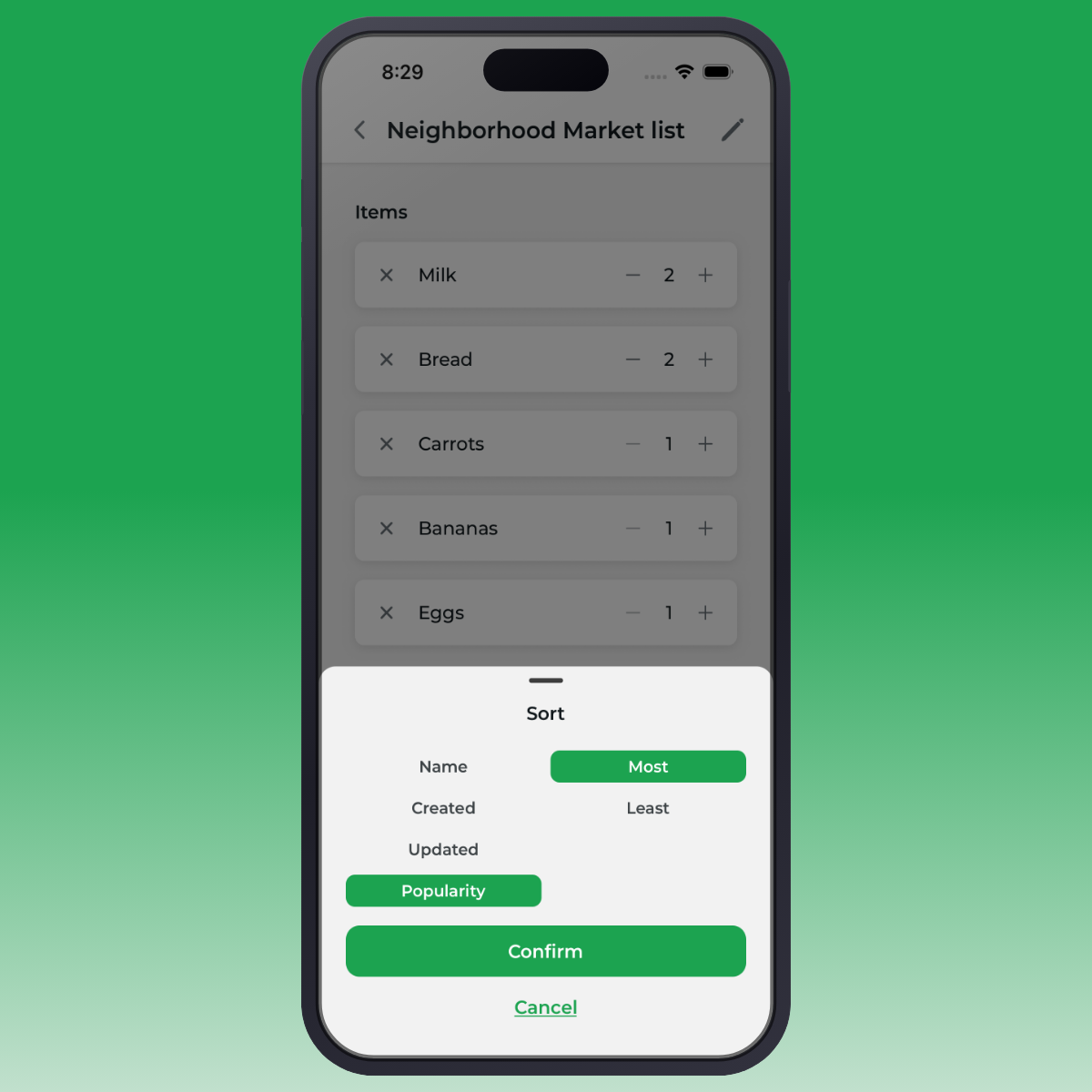
On a list, sort items by name, date added, or quantity. On the Lists tab, filter active, completed, and canceled trips—and sort by planned shop date, name, or when a list was created. Your store’s saved items sort by popularity, name, or date added too.

Sorting shopping list items in Shoptonio

Store Mode: a checklist built for the aisle

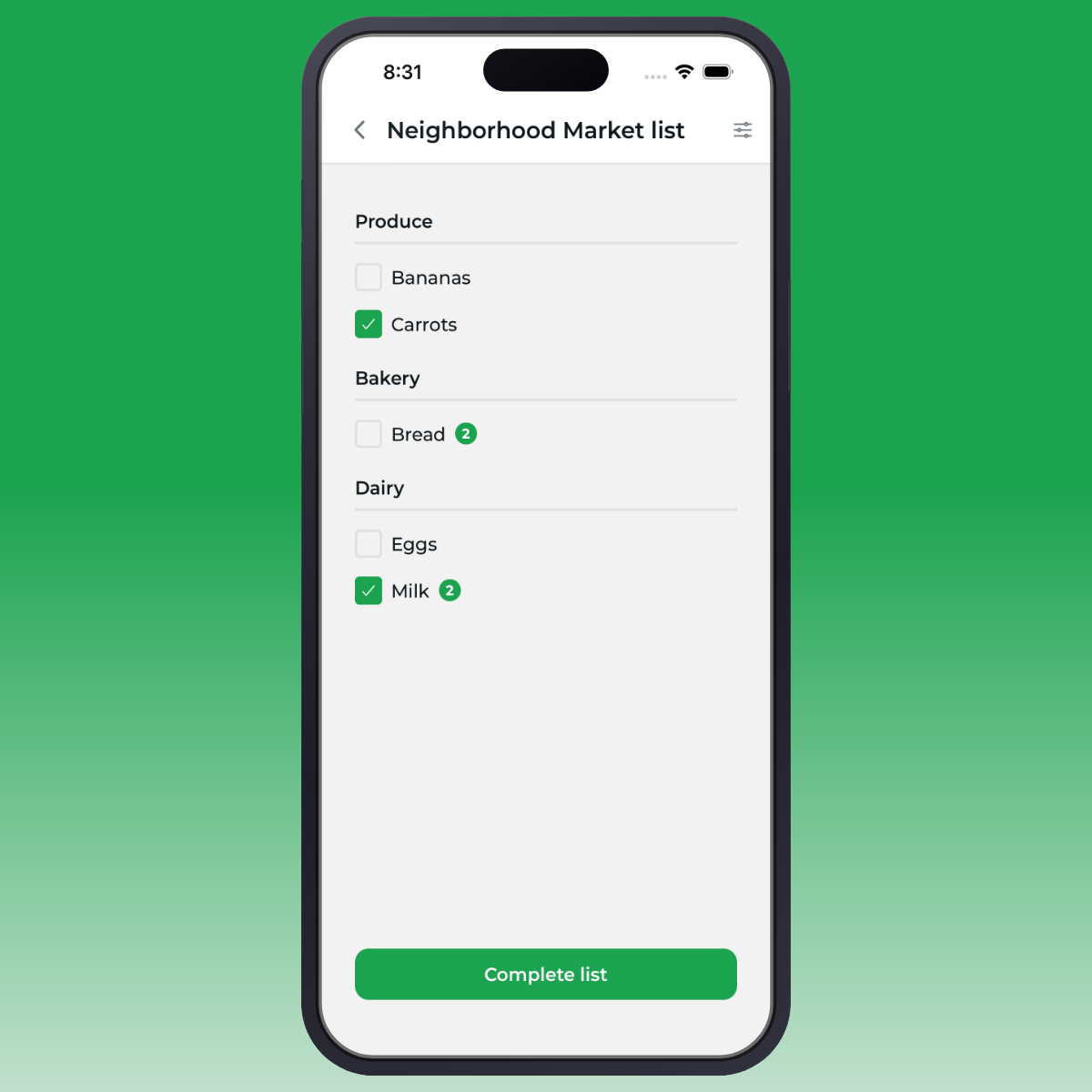
Turn any list into a focused in-store view—big checkboxes, clear quantities, and a flow meant for one hand while you push the cart.

Store Mode strips the noise so you can move quickly: check items off as you go, confirm partial quantities when you only find some of what you need, and close the trip when you’re finished. Adjust text size for easier reading in bright aisles. The list stays live—household updates still show up while you shop.

  • Comprehensive checklist — see everything on the list without hunting through menus.
  • Partial quantities — mark what you found when the shelf is only half full.
  • Photos and notes in the aisle — see which items have attachments before you check them off.
  • Still in sync — changes from home appear while you’re in the store.
Shoptonio Store Mode checklist while shopping in store

Plan ahead—and pick up handy tools

Set a planned shop date on each list so everyone knows when the run is happening. Then use the little extras that make household errands smoother.

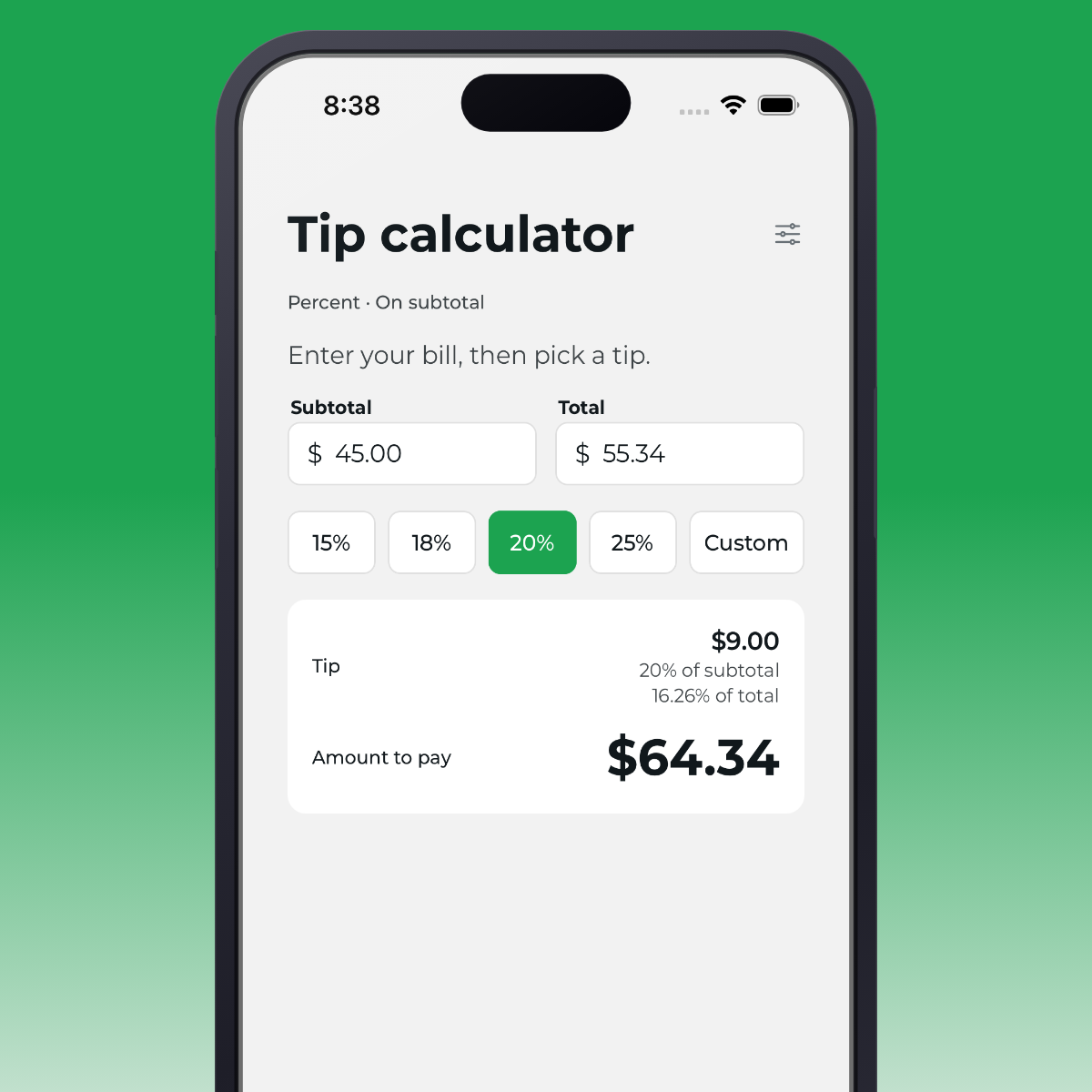
The Home screen surfaces what’s coming up next. In Tools, a tip calculator handles percent or dollar presets on subtotal or total. Choose light, dark, or match your system in Settings.

Planned shop dates and household tools in Shoptonio

Frequently asked questions

Quick answers about Shoptonio.

What is Shoptonio?

Shoptonio is a shared shopping list app built for households—families, couples, and roommates. Everyone sees the same live lists, organized by store, so you can plan together and shop with confidence.

Is Shoptonio free?

Shoptonio is free to download on iPhone, iPad, and Android. Free trials are available for new subscribers; after yours ends, a subscription is required to keep using the app. One subscription covers your entire household—only one person needs to pay. See the App Store or Google Play listing for pricing in your region.

Can I share shopping lists with my household?

Yes. Shoptonio is built for household collaboration—when someone adds an item or checks one off, everyone sees it in real time, whether you’re planning at home or shopping in the store.

Does Shoptonio work on iPhone and Android?

Shoptonio is available on iPhone and iPad through the App Store. Android is available through our closed beta.

How is Shoptonio different from Notes or Reminders?

Shoptonio is purpose-built for household shopping. You get store-specific lists, saved items from past trips, photos and notes on items, sorting and planned shop dates, Store Mode for in-aisle shopping, and real-time sync with everyone in your household—not a generic checklist.

Is my data private?

We take privacy seriously. See our Privacy Policy for details on what we collect, how we use your information, and how we protect it.

Get Shoptonio

Household shopping lists that stay in sync—plan together and shop with confidence.